WinGet: The Enterprise Package Manager for Windows 11 & Windows Server
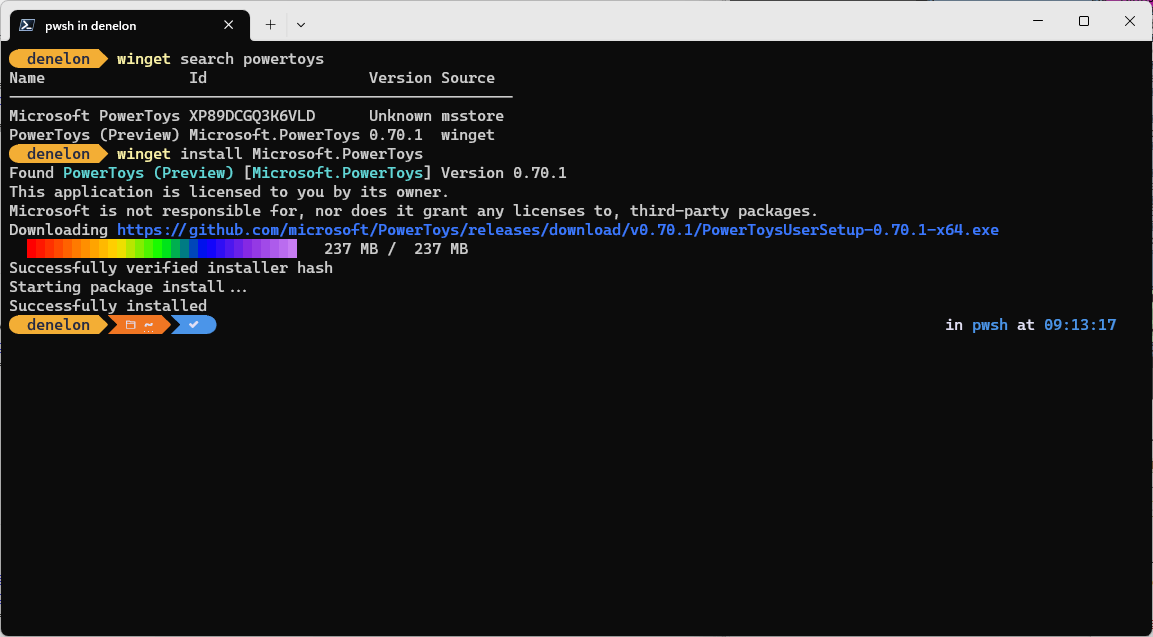
Table of Contents (4 min read)
WinGet: Automating Windows 11 & Windows Server Workstation Provisioning
In enterprise systems engineering and homelab administration, setting up a new Windows workstation or server typically involves repetitive, manual tasks: opening a browser, hunting down MSI and EXE installers, clicking through wizard dialogs, unchecking bundled adware, and configuring environment paths.
While Linux administrators have long benefited from apt and dnf, and macOS engineers rely on brew, the Windows ecosystem now has its own first-class native solution: the Windows Package Manager (winget).
Maintained by Microsoft as an open-source tool, WinGet allows systems administrators to discover, install, upgrade, and configure software across fleets of machines using repeatable, version-controlled PowerShell automation scripts.
1. WinGet Availability & Installation on Windows Server
On modern Windows 11 Pro (the operating system running on our DenverNerd development workstations), WinGet comes pre-installed as part of the Desktop App Installer.
However, on Windows Server 2022 / 2025 or clean enterprise builds without the Microsoft Store, WinGet must be bootstrapped via PowerShell:
Bootstrapping WinGet on Windows Server via PowerShell
# Install-WinGetServer.ps1
# Bootstraps Microsoft.DesktopAppInstaller and required VCLibs on Windows Server

$progressPreference = 'SilentlyContinue'
$tempDir = "$env:TEMP\winget-bootstrap"
New-Item -ItemType Directory -Path $tempDir -Force | Out-Null

Write-Host "Downloading WinGet dependencies..." -ForegroundColor Cyan

# 1. Microsoft Visual C++ 2019 UWP Runtime
Invoke-WebRequest -Uri "https://aka.ms/Microsoft.VCLibs.x64.14.00.Desktop.appx" `
    -OutFile "$tempDir\VCLibs.appx"

# 2. Microsoft UI Xaml 2.8
Invoke-WebRequest -Uri "https://github.com/microsoft/microsoft-ui-xaml/releases/download/v2.8.6/Microsoft.UI.Xaml.2.8.x64.appx" `
    -OutFile "$tempDir\Microsoft.UI.Xaml.appx"

# 3. Latest WinGet Bundle from GitHub Releases
$latestRelease = Invoke-RestMethod -Uri "https://api.github.com/repos/microsoft/winget-cli/releases/latest"
$msixUrl = ($latestRelease.assets | Where-Object { $_.name -like "*.msixbundle" }).browser_download_url
Invoke-WebRequest -Uri $msixUrl -OutFile "$tempDir\Microsoft.DesktopAppInstaller.msixbundle"

Write-Host "Registering AppX packages..." -ForegroundColor Yellow
Add-AppxPackage -Path "$tempDir\VCLibs.appx"
Add-AppxPackage -Path "$tempDir\Microsoft.UI.Xaml.appx"
Add-AppxPackage -Path "$tempDir\Microsoft.DesktopAppInstaller.msixbundle"

Remove-Item -Path $tempDir -Recurse -Force
Write-Host "WinGet successfully bootstrapped. Testing version..." -ForegroundColor Green
winget --version
2. Core CLI Commands & Enterprise Syntax
WinGet uses a clean, predictable syntax:
winget [command] [options] [arguments]
Essential Command Matrix
| Action | Command Example | Rationale |
|---|---|---|
| Search Catalog | winget search "PowerShell" |
Queries official Microsoft community repository |
| Silent Install | winget install Git.Git --silent --accept-package-agreements --accept-source-agreements |
Unattended background installation without GUI popups |
| Inspect Details | winget show Microsoft.VisualStudioCode |
Displays publisher, SHA-256 hash, installer URL, and license |
| Upgrade All | winget upgrade --all --include-unknown |
Upgrades all installed packages with newer versions available |
| Pin Package | winget pin add Git.Git --version 2.44.0 |
Locks package version to prevent accidental breaking upgrades |
3. Automated Workstation Provisioning Manifest
In our engineering workflow, setting up a fresh workstation with our standard development and sysadmin toolkit is reduced to a single command using winget import.
Exporting an Existing Machine's State
To capture your current installed applications into an immutable JSON manifest:
winget export -o "C:\Admin\Workstation-Manifest.json" --include-versions
Standard DenverNerd Workstation Manifest (Workstation-Manifest.json)
{
  "$schema": "https://aka.ms/winget-packages.schema.2.0.json",
  "CreationDate": "2026-10-12T12:00:00.000-00:00",
  "Sources": [
    {
      "Packages": [
        { "PackageIdentifier": "Microsoft.DotNet.SDK.9" },
        { "PackageIdentifier": "Microsoft.PowerShell" },
        { "PackageIdentifier": "Microsoft.WindowsTerminal" },
        { "PackageIdentifier": "Microsoft.VisualStudioCode" },
        { "PackageIdentifier": "Git.Git" },
        { "PackageIdentifier": "Docker.DockerDesktop" },
        { "PackageIdentifier": "7zip.7zip" },
        { "PackageIdentifier": "Microsoft.Sysinternals.Suite" },
        { "PackageIdentifier": "WiresharkFoundation.Wireshark" },
        { "PackageIdentifier": "Notepad++.Notepad++" },
        { "PackageIdentifier": "BambuLab.BambuStudio" },
        { "PackageIdentifier": "SoftFever.OrcaSlicer" }
      ],
      "SourceDetails": {
        "Argument": "https://cdn.winget.microsoft.com/cache",
        "Identifier": "Microsoft.Winget.Source_8wekyb3d8bbwe",
        "Name": "winget",
        "Type": "Microsoft.PreIndexed.Package"
      }
    }
  ]
}
Unattended Bootstrap Script
On a new PC or VM, execute:
winget import -i "C:\Admin\Workstation-Manifest.json" --accept-package-agreements --accept-source-agreements --ignore-unavailable
Within 10 minutes, all compilers, debuggers, sysadmin diagnostic utilities, and 3D slicers are silently installed without a single mouse click.
4. SysAdmin Best Practices for WinGet
- Always Use Exact Package IDs: Instead of typing
winget install git(which might prompt an interactive disambiguation menu if multiple results exist), always specify the fully qualified ID:winget install Git.Git. - Accept Agreements Silently: In automated CI/CD and deployment scripts, always include
--accept-package-agreements --accept-source-agreementsto prevent interactive terminal blocking. - Audit Hashes & Sources: WinGet validates SHA-256 installer hashes against the public manifest before running any binary, protecting systems from upstream installer tampering and MITM compromises.
- Schedule Weekly Upgrades: Set a Windows Task Scheduler task running
winget upgrade --all --silenton Friday nights to keep runtime engines and utilities patched against zero-day CVEs.
Discussion (0)
Community Guidelines EnforcedNo community comments yet. Be the first to share your thoughts!
Join the Community Discussion
Sign in or create an account to share observations, tuning setups, and connect with other makers.