
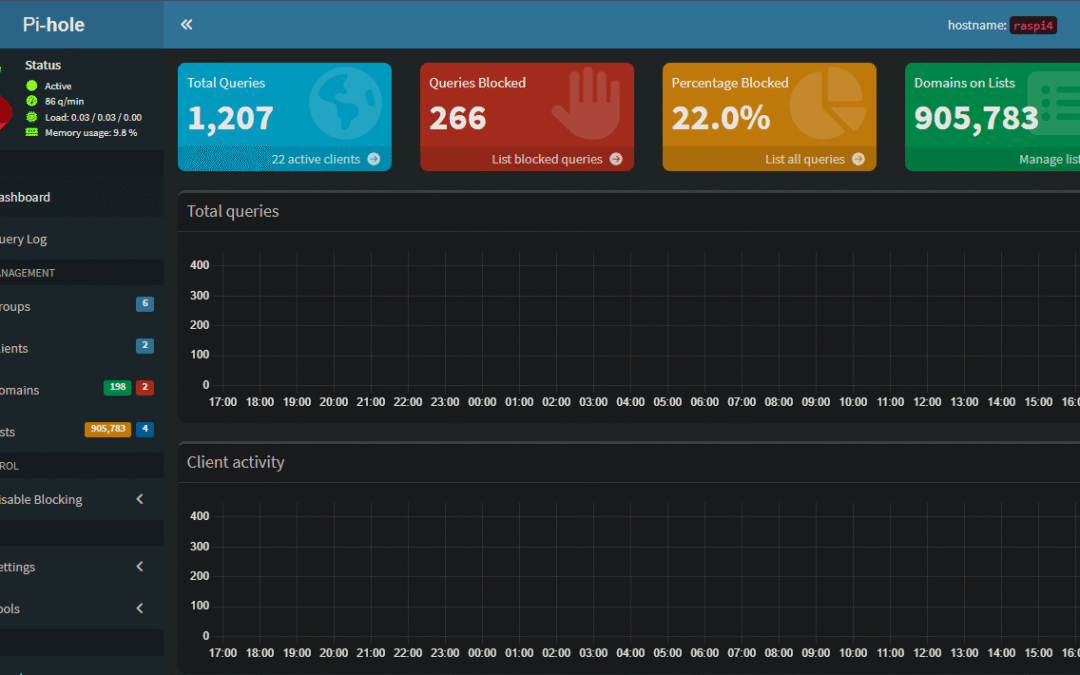
Have you ever felt like you’re under constant surveillance online? That every website you visit, every app you open, and every smart device in your home is trying to serve you a new ad or collect your data? It’s a frustrating reality of the modern internet. But what if you could take back control, not just on your computer, but for every single device on your network? That’s the power of Pi-hole.
Pi-hole is a network-level ad and tracker blocker that acts as a DNS sinkhole. This means it works at the very foundation of your internet connection. Instead of blocking ads in your web browser (which only works on that one device), Pi-hole intercepts the requests for ad and tracking domains before they even leave your network. It’s a game-changer that provides a faster, cleaner, and more private internet experience for everything from your smartphone to your smart TV and gaming console.
The beauty of Pi-hole lies in its simplicity and efficiency. Because it’s a DNS-based solution, it requires no software on your individual devices. Once your router is configured to use your Pi-hole as its DNS server, every device that connects to your Wi-Fi automatically benefits. You get a seamless, network-wide defense against unwanted content without lifting a finger on each gadget.
The Foundation of a Great Pi-hole: Your Blocklists
The magic of Pi-hole is driven by its blocklists. These are lists of known domains that serve ads, trackers, and malicious content. When a device on your network tries to access one of these domains, Pi-hole blocks the request and prevents the unwanted content from loading. The effectiveness of your Pi-hole setup depends heavily on the quality and maintenance of the blocklists you use.
While many great community-sourced lists are available, a truly powerful setup often combines the best of both worlds: a highly curated community list and a personal, custom list. This dual-list approach is the key to balancing comprehensive blocking with network functionality.
My Personal Safe List
One of the cornerstones of my Pi-hole setup is a custom-curated blocklist located at https://denvernerd.com/blog/pihole/block_custom.txt. Unlike traditional blocklists that aim to block as many domains as possible, this list serves a unique purpose. It’s a safe list of domains that I’ve personally identified as benign while monitoring the query log.
I’ve found that some domains, while not malicious, might be flagged by overly aggressive public lists, causing legitimate services to break. By manually adding them to my custom list, I ensure they are always treated as safe. I rarely add new entries, and I don’t believe I’ve ever had to remove a domain, which speaks to its purpose as a carefully managed and highly trusted list. This is my personal safety net, ensuring a smooth experience for my family and all the devices on our network.
The Firebog Community “Tick” List
The other vital component of my Pi-hole’s defense is a dynamically updated list from the Firebog community, which I pull from https://denvernerd.com/blog/pihole/parsed_firebog.txt. The Firebog community is a fantastic resource, known for its well-maintained and vetted blocklists.
I use a simple, automated script that runs every Friday to parse the community’s “tick” list. This list is a collection of recommendations that are widely regarded as safe for most users, meaning they strike a good balance between effective ad-blocking and minimal false positives. By automating the update process, I can be confident that my Pi-hole’s defense is always fresh and current, protecting against new threats and ad servers that pop up on the web.
This combination of a static, personally-curated safe list and a dynamic, regularly updated community list creates a robust and reliable system. It’s a testament to the flexibility of Pi-hole, allowing you to tailor your ad-blocking strategy to your specific needs while still benefiting from the collective knowledge of the open-source community.
In a future post, I’ll walk you through a step-by-step guide on how to get your own Pi-hole up and running. But for now, just know that Pi-hole is an incredibly powerful tool that gives you back control over your internet experience. What’s the one thing you’re most excited to block on your network? Let me know in the comments!